Contents
The Problem It Solves
Writing a REST service on the SAP side is not the hard part. The hard part is keeping that service understandable and usable across the organisation.
The typical story: the e-commerce team asks for a service from SAP. It gets written in ABAP. Then the field list is explained to the other side in a spreadsheet or an email. A field is added; the documentation is not updated. A new developer has to read ABAP source to find out what the service returns. A Postman collection is hand-built for testing, and it goes stale too.
The result: the service works, but nobody is confident in it. A significant share of integration meetings goes to "is that field still being sent?"
ZREST was written to break that loop: the service definition and its documentation come from the same source, so the documentation cannot drift.
Key Features
Automatic OpenAPI Document
The OpenAPI document for each service is produced by the SAP system itself. There is no separate document file to maintain, so it cannot drift from the code.
Try It From the Browser
Services can be called directly via "Try it out" in the Swagger interface; your existing SAP session is used, so no separate authentication setup is needed.
Saved Requests
Repeated tests can be saved with their parameters and loaded again. Requests stored in SAP are available to the same user across different computers.
Interactive Product Presentation
The browser-ready presentation brings the ZREST story into one flow: architecture, inbound and outbound requests, live SAP screens, generated OpenAPI and Swagger, saved request variants, configurable logging and retention, deployment, and verification evidence.
Choose a language to view the presentation in your browser or keep an offline PDF copy.
Demo Screens
The images below were captured from a running ZREST demo service and its SAP administration screens. User information has been anonymised or excluded from the frame; no licence key or real customer data appears in the images.
Swagger interface
The documentation interface uses the open-source Swagger UI component (SmartBear, Apache License 2.0). Swagger is a registered trademark of SmartBear Software Inc.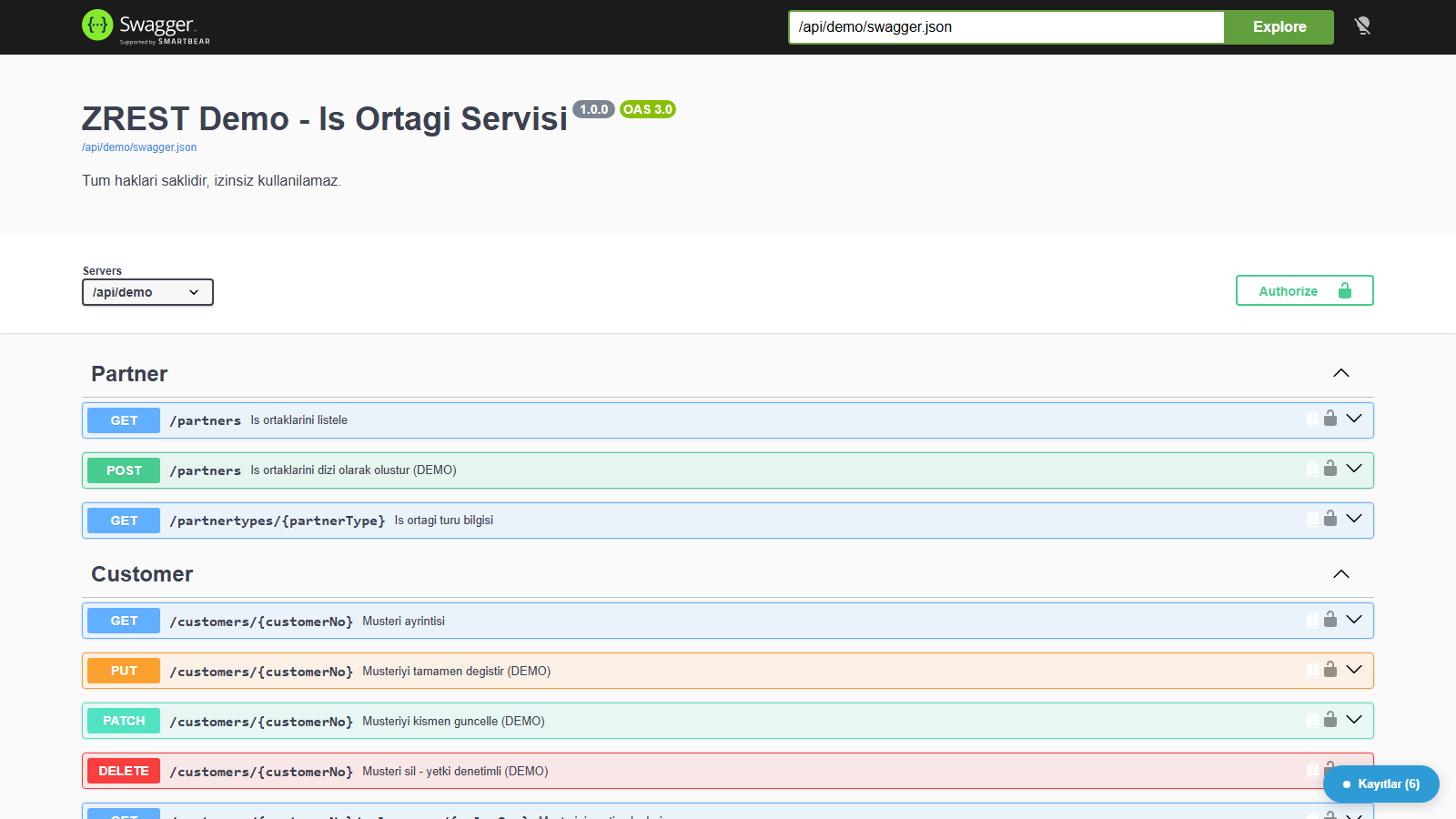
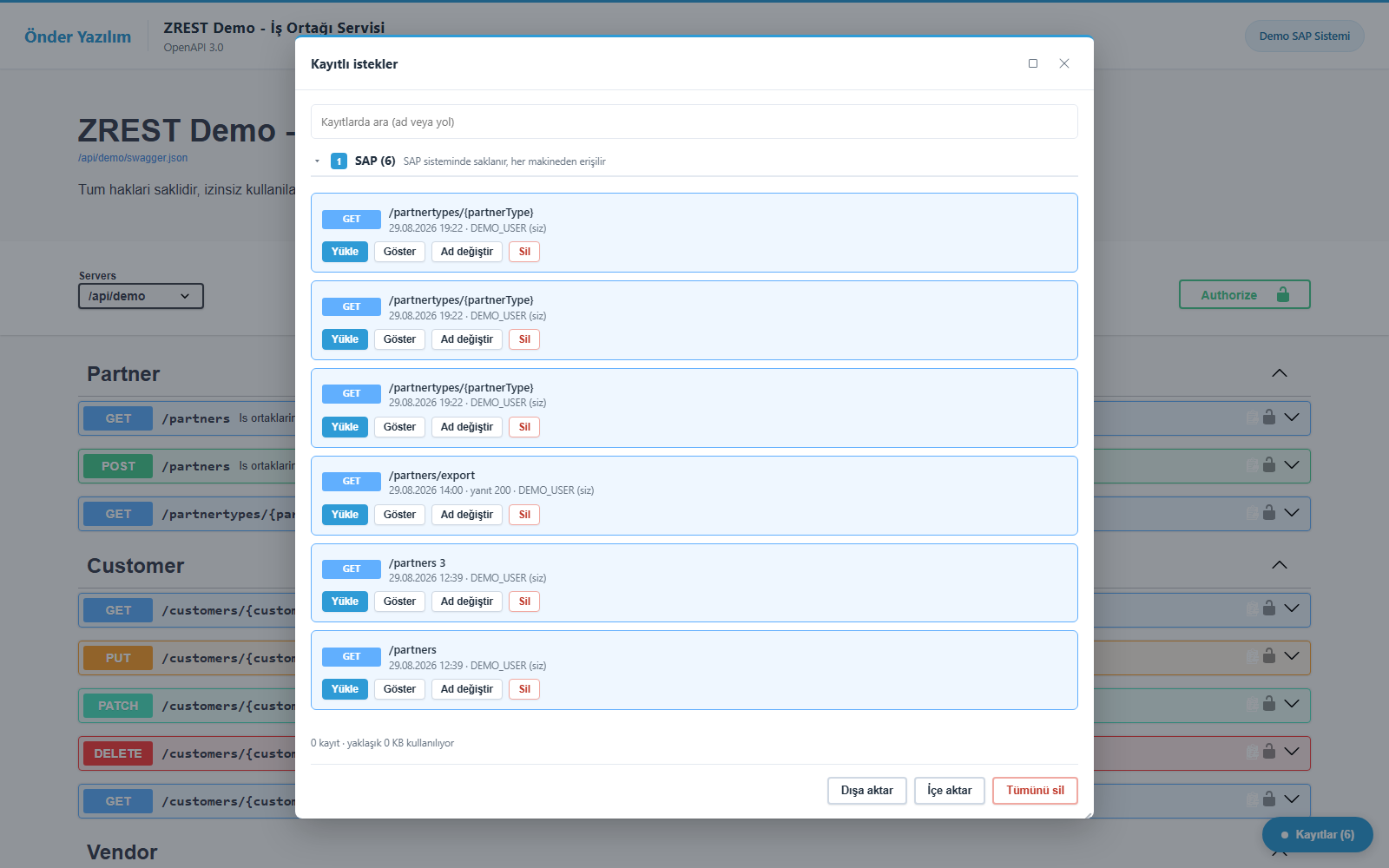
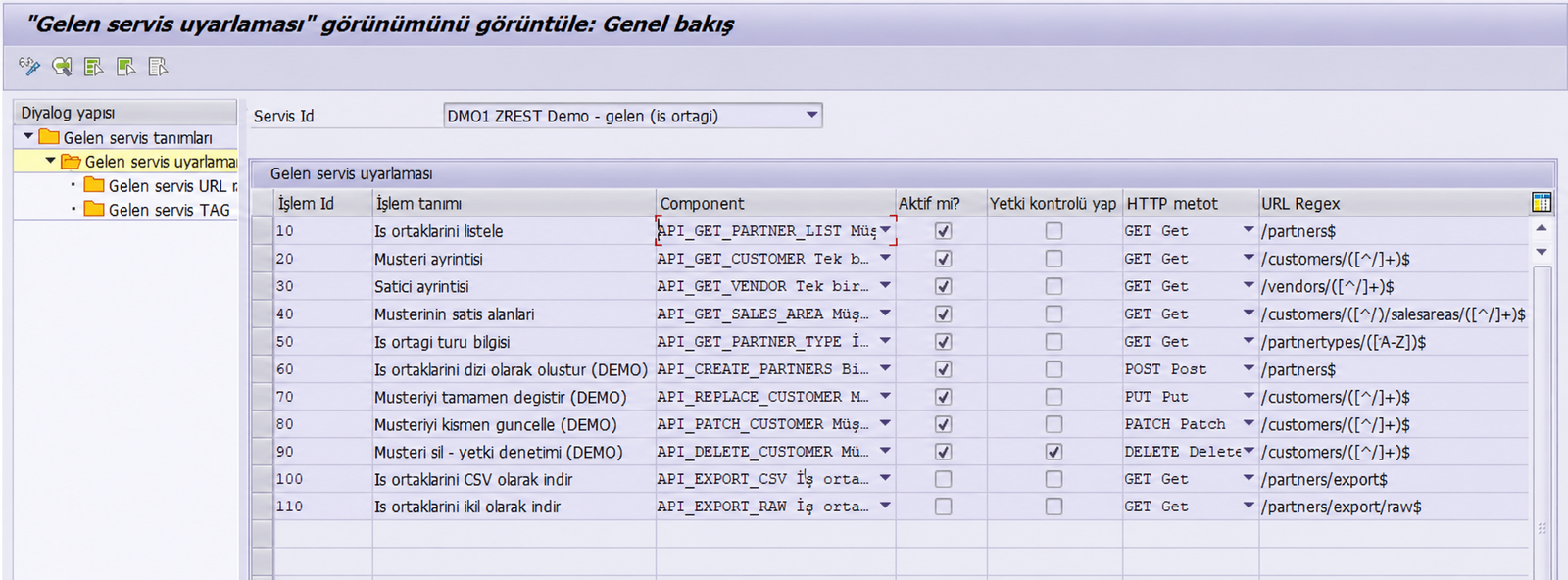
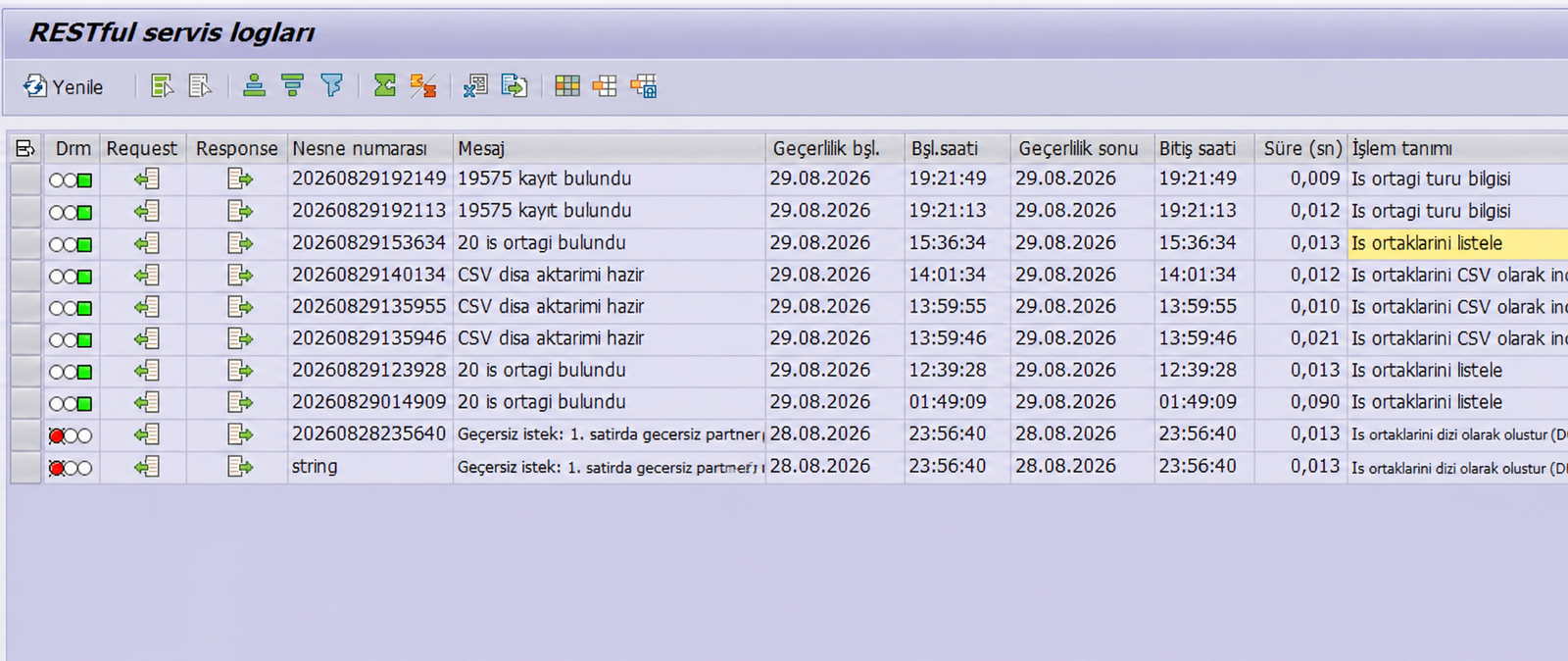
SAP configuration and monitoring
How the Documentation Works
The user opens the documentation URL on the SAP system. The page HTML and every CSS/JS file the interface needs are served from the SAP server's own MIME repository; the browser does not need to reach Önder Yazılım to open the page. The OpenAPI document is also read from that same SAP server.
- The user opens
https://<your-sap-host>/<your-SICF-node-path>/swagger.html. - SAP returns a lightweight HTML page that points to the interface files; the page has no inline executable code.
- The interface reads the OpenAPI document from that same SAP server and lists the services.
- After the page has loaded, the browser sends a one-way installation notification to Önder Yazılım. Its result is never read and it has no effect on the documentation — described in full below.
The practical benefit: the page, the document and every interface file live on the same SAP server, so the browser treats them as a single origin. That means no CORS configuration, extra headers or security exceptions are needed from your Basis team — removing the item that most often delays a rollout.
Data Security
SAP service documentation is a map of an organisation's business processes. So the product's clearest commitment is this:
- Documentation and interface files come from your SAP server. Opening the page, browsing it or trying a call with "Try it out" sends nothing to Önder Yazılım.
- Your OpenAPI document is neither sent to nor stored by Önder Yazılım. It remains between the SAP server and the user's browser.
- No business data passes through. "Try it out" requests and business data travel directly between the browser and the SAP server.
- The third-party validator is disabled. Your OpenAPI document and service URL are never sent to
validator.swagger.io. - There is no licence check, only an installation notification. After the page loads, the browser sends a one-way, non-blocking notification to Önder Yazılım — it cannot be turned off and there is no setting for it on the SAP side. It carries your licence key (if any), server name, the service path that was opened, and the package version. Referrer, user-agent and IP address are not collected. The server name and service path are stored encrypted; the searchable index is derived with a separate key and cannot be reversed.
- Retention and internal alerting: notification records are deleted automatically after 180 days. A new install, or an issue such as an unrecognised licence, a host mismatch or an expired licence, triggers an automatic email to Önder Yazılım containing the fields above plus the matched customer name, if any; it is not sent to any third-party service. See the Privacy Policy for details.
Setup
Setup is three steps, all on the SAP side:
- Import the transport. The ZREST package arrives as a standard transport request.
- Activate the service node. The relevant node is activated in SICF.
- Enter the licence key. The key you are given goes into a system-specific table (SM30). DEV, QAS and PRD each use their own key; the key is not carried by transports.
Licensing
ZREST is a licensed product. Licences are issued per SAP system: each system (DEV / QAS / PRD) uses its own key, and the key is bound to the server name it was issued for. As the expiry date approaches, a reminder appears on the documentation screen; your services are unaffected.
Get in touch to see ZREST on your own SAP system or to discuss licence terms — the first assessment call is free.
Request a Demo & PricingEnd-to-end SAP integration support is available from service design through go-live.
Integration Services